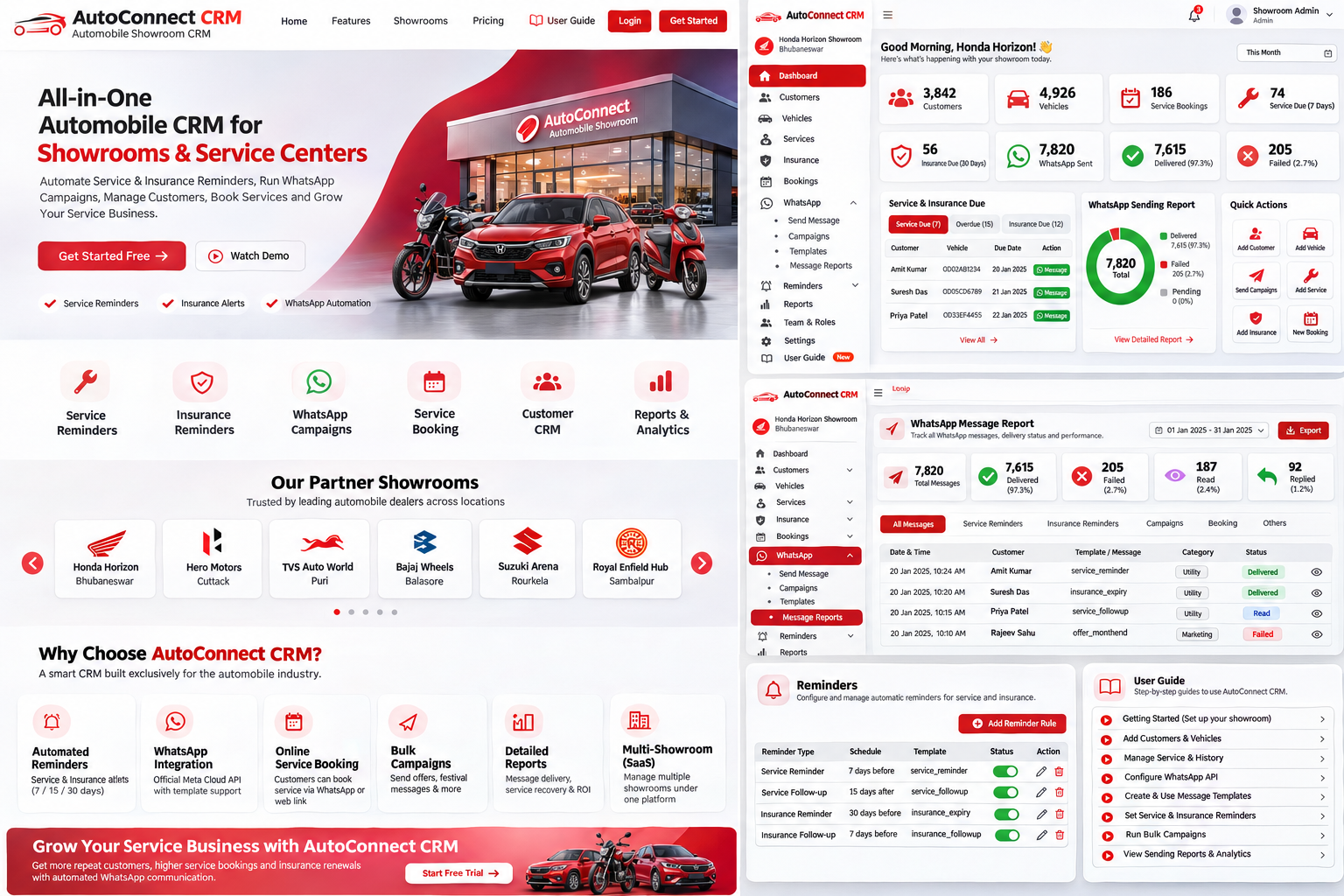
RKS4CRM connects customer data, service reminders, insurance renewals, vehicle-age exchange opportunities, sales follow-ups and showroom performance in one automotive CRM.

Meet registered showroom owners and explore their locations. Book a service directly with a participating showroom.
Showroom owners and participating locations · Auto-scrolling directory · Hover or touch and hold to pause
ONE PLATFORM. COMPLETE CONTROL.
From first enquiry to repeat service, connect your showroom team with a clear customer lifecycle.
Keep customer profiles, enquiries, call notes and ownership history organised.
Manage vehicle details, purchase records, kilometre readings and service history.
Identify upcoming, due and overdue services with scheduled customer follow-ups.
Store policy details, upload documents, track expiry dates and manage renewal follow-ups.
Use Meta-approved templates, track delivery status and communicate with opted-in customers.
Share showroom and branch-specific booking links for customer appointment requests.
Create customer segments and send approved-template campaigns with reporting.
Assign sales, service and insurance follow-ups with due dates, notes and status tracking.
Organise scheduled reminders and recurring customer engagement workflows.
Capture customer enquiries and help your team respond consistently.
Manage showroom teams, branch operations and customer activity in one workspace.
Review customer activity, bookings, campaigns and operational performance.
RKS4CRM CUSTOMER INTELLIGENCE
Turn the records your team already maintains into explainable worklists. Find customers who may need attention, vehicles reaching replacement age, service dates that are approaching and insurance policies nearing expiry.
Search customer, vehicle, service, insurance, sales and exchange history with a complete side-view profile.
Configure reminders before and after service due dates, then queue follow-ups through the background scheduler.
Segment vehicles by purchase age, review customer activity and build a team worklist for exchange conversations.
Identify policies expiring soon or already expired, assign owners and track renewal follow-ups.
Insights are based on recorded CRM data and configurable rules. They are review recommendations, not guaranteed predictions. Automated WhatsApp delivery requires valid customer consent and approved Meta templates.
Bring AI intelligence to your showroom →Create your company workspace and showroom profile.
Upload customer and vehicle data securely.
Add your own Meta Cloud API account and approved templates.
Activate service reminders, bookings and campaigns.
CUSTOMER SELF-SERVICE
Choose the company and branch, copy its unique booking link, then share it through WhatsApp, SMS, social media or your website. Customers submit their contact, vehicle and preferred appointment details. Your team can review the request, confirm the slot and send updates.
Set up your showroomA simple customer booking experience
DESIGNED FOR DEALERSHIPS
Bring your sales, service, insurance and customer communication workflows together. Give staff a consistent process while keeping branch activity visible to management.
Explore the user guideCustomer, vehicle, service and communication history in one place.
Help teams prioritise service due dates, insurance renewals and enquiries.
Use approved WhatsApp templates and monitor message outcomes.
Organise teams and bookings by showroom and branch.
Start with your own customer workspace. Upgrade as your dealership grows.
Indicative pricing. WhatsApp provider charges and GST extra. Plan limits are configurable.
GETTING STARTED
A quick overview for showroom owners and teams.
The platform includes branch-oriented workflows. Available branch access depends on your account configuration and permissions.
Connect your Meta WhatsApp Cloud API account and use templates approved by Meta. Messaging is subject to Meta policies, customer consent and applicable charges.
Your team selects the showroom or branch, copies its booking link and shares it with customers. Booking requests appear in your CRM for review.
Open the User Guide from the navigation menu or contact your platform administrator for account-specific setup assistance.